Weddings: the venue of the big day, to share before and after
Guests discover the ceremony and reception venue before they come; those far away visit it from home.
What you will use it for
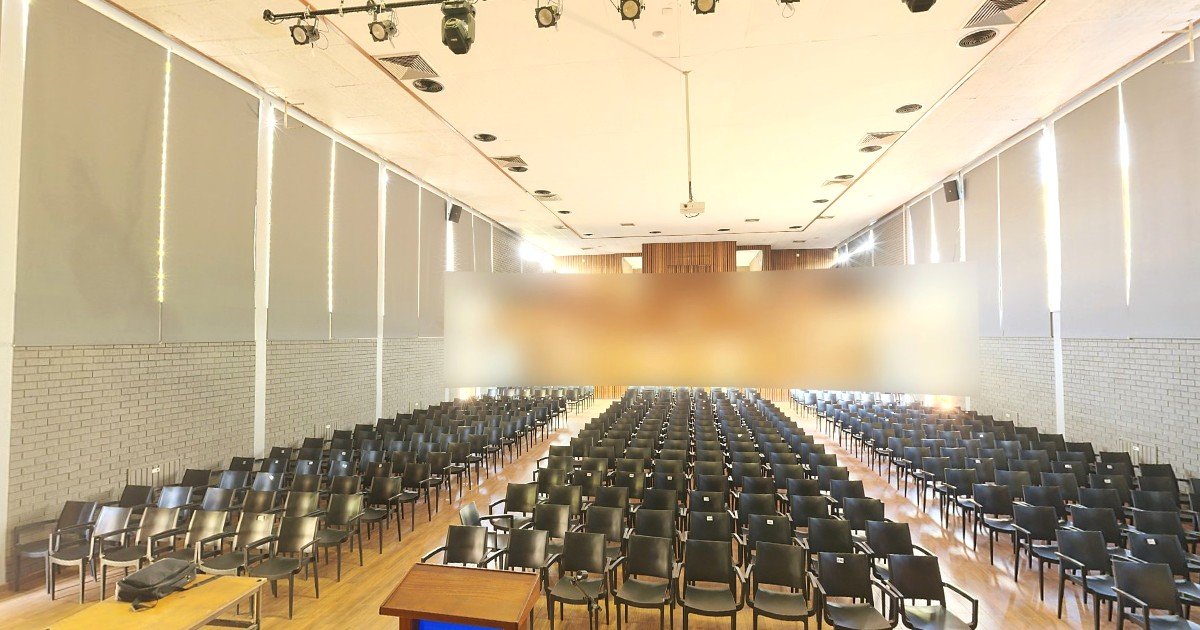
- The ceremony venue and the reception hall in 360°
- A tour by link, for guests only, or with a code (PRO)
- Access and parking in information points
What to photograph
One 360° photo per space or per view. Start with “Ceremony venue”: that is where the tour opens. The editor suggests space names in one click, and you can type your own.
- Ceremony venue
- Reception hall
- Dance floor
- Garden
- Terrace
- Entrance
- Outside
Examples
Frequently asked questions
All questionsHow many photos do I need?
One 360° photo per space or per view. To start with, the editor suggests Ceremony venue, Reception hall, Dance floor and Garden, and more; you can name your own. The Free plan allows 20 photos per tour; PRO has no limit.
Do I need a 360° camera?
A consumer 360° camera is enough: export the photos as JPG and drop them in. A full 360° photo taken with a phone app works too, less sharp. No equipment? A 360° provider can take the photos for you.
Do my visitors need an app?
No. The tour opens in the browser, on a phone as well as a computer, from a link, a QR code or your own website.
How much does it cost?
Free to start: 1 tour online, 20 360° photos per tour. PRO, at 2 900 XPF per month incl. tax, adds unlimited tours and your colours.
What should I prepare before I start?
To have to hand: the ceremony and reception venues, decorated; the reception venue's permission to shoot; the list of guests to send the link to; the address, access and parking; a code to give guests, if you like (PRO). The “Preparing your page and your tour” guide for this activity also covers what to photograph and the questions to ask yourself.